Sequences and automation

Follow up based on
what people actually did.

When something happens, start the sequence. Send an email. Wait. Check what the person did. Decide what happens next.
Take a tour See pricing
app.sonarsend.com/t/kestrel-supply/sequences/come-back-to-kestrel
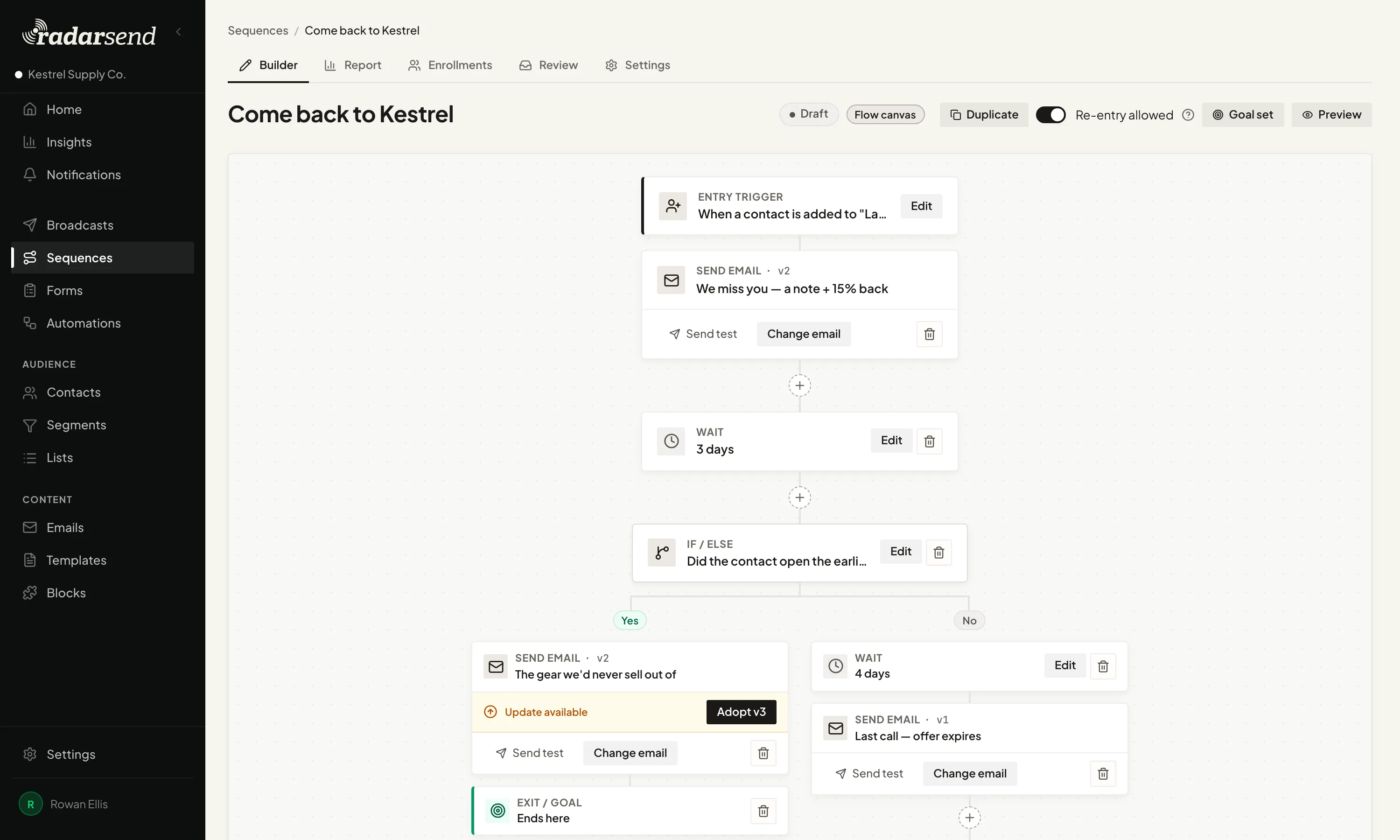
A sequence laid out from top to bottom: it starts, sends an email, waits, checks whether the person opened it, and splits into two paths depending on the answer.

Welcome series, renewal reminders, and win-back emails that respond to what each person does.

Preview run

Build the path. Test it before it runs.

A sequence reads from top to bottom. Send an email, wait, check whether someone clicked or visited a page, then take the next step. Update a field, change a stage, hand the contact to another sequence, or stop when a goal is reached.

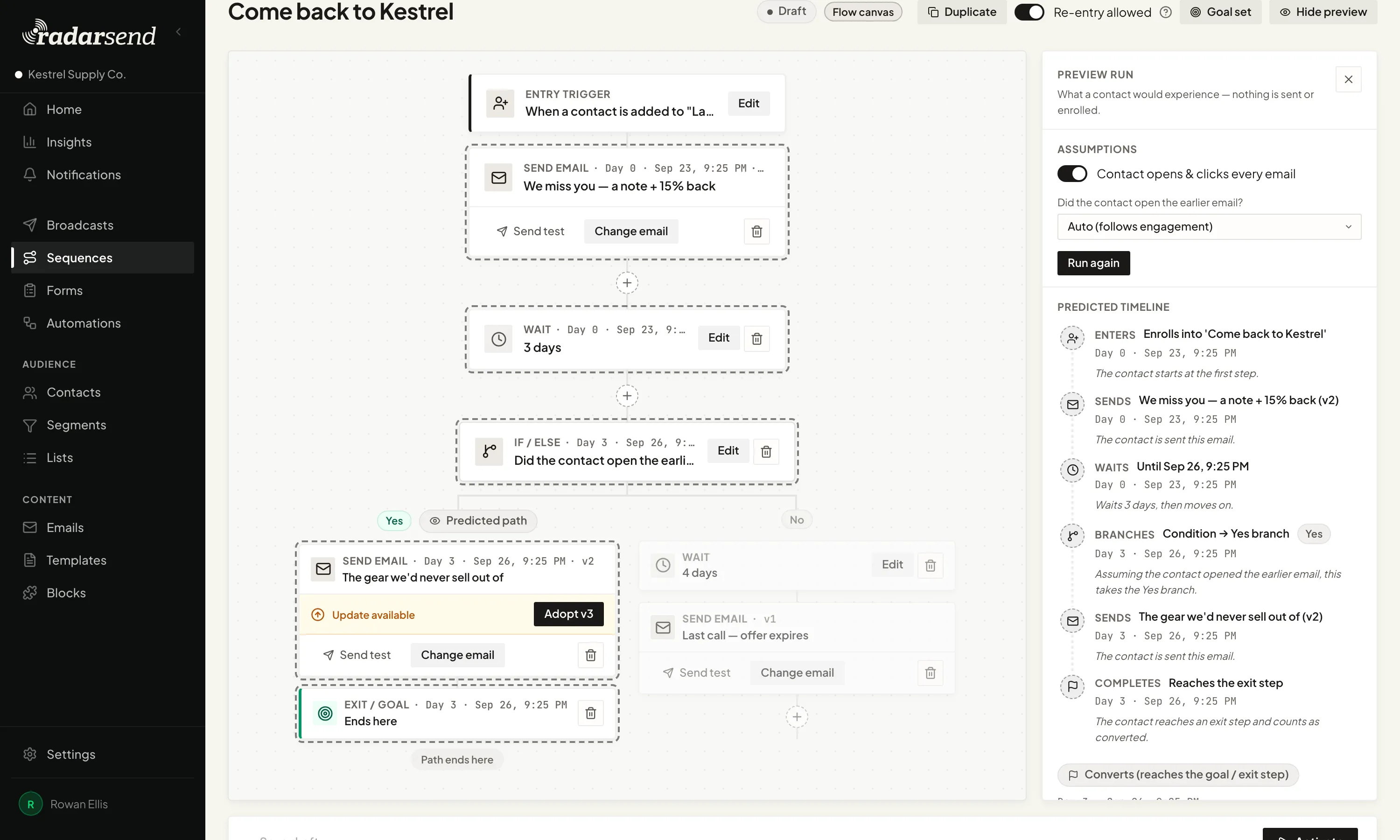
Before you turn it on, run a preview. Choose what the example contact does and RadarSend traces the path they would take, including when each step would happen. Change an assumption and run it again. Nothing is sent and nobody is enrolled.
app.sonarsend.com/t/kestrel-supply/sequences/come-back-to-kestrel
A sequence in preview: the canvas with the predicted route highlighted down the Yes path, beside a preview run panel with its assumptions and a predicted timeline of when the contact enters, gets each email, waits, branches, and completes.
app.sonarsend.com/t/kestrel-supply/sequences/come-back-to-kestrel/report
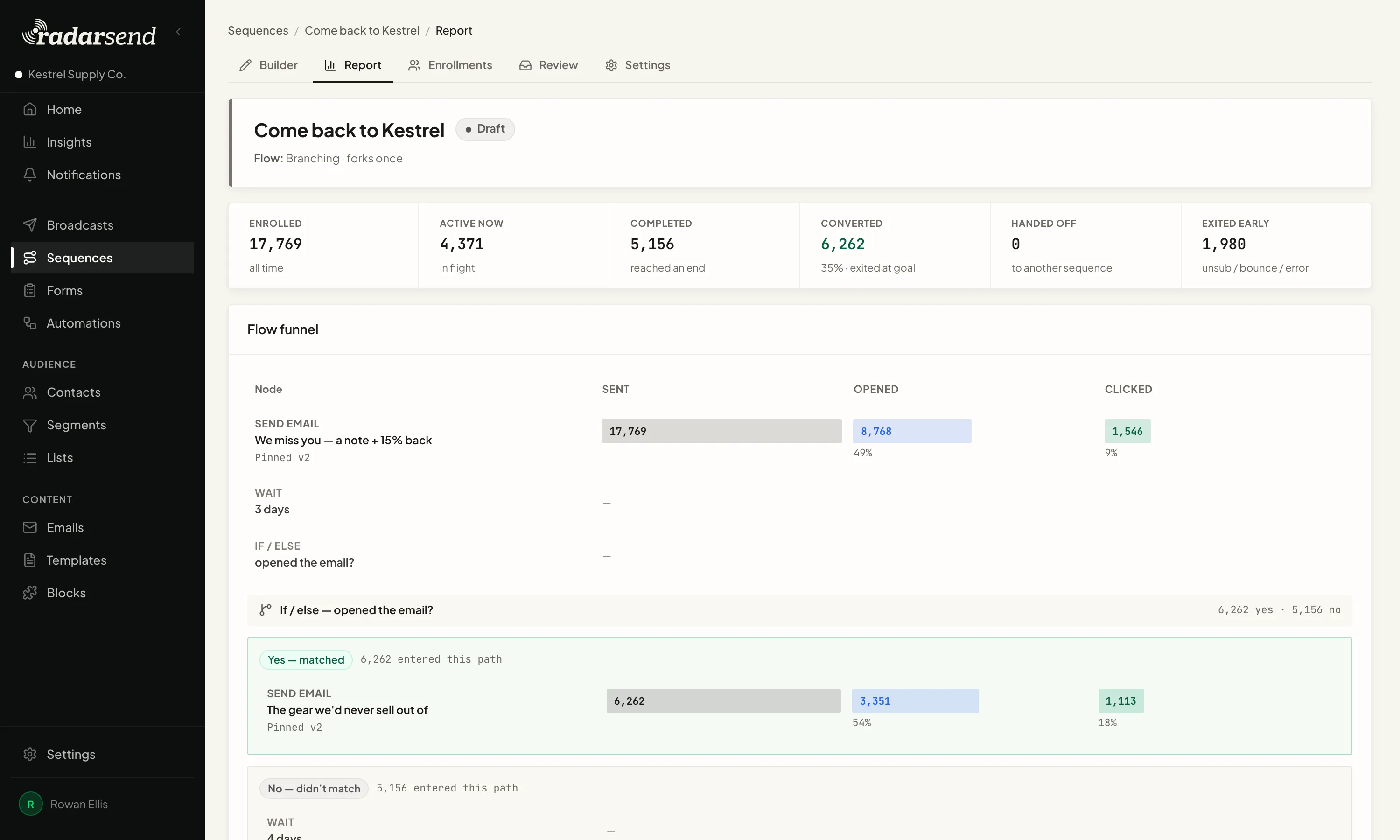
A sequence report: totals for enrolled, active, completed, converted, handed off and exited early, above a flow funnel showing how many emails each step sent, opened and clicked, split down the Yes and No paths after the branch.
See what happened

See where everyone is and why.

The report shows how many people are at each step, how many emails were opened and clicked, and who's still in the sequence, who finished, and who left early.
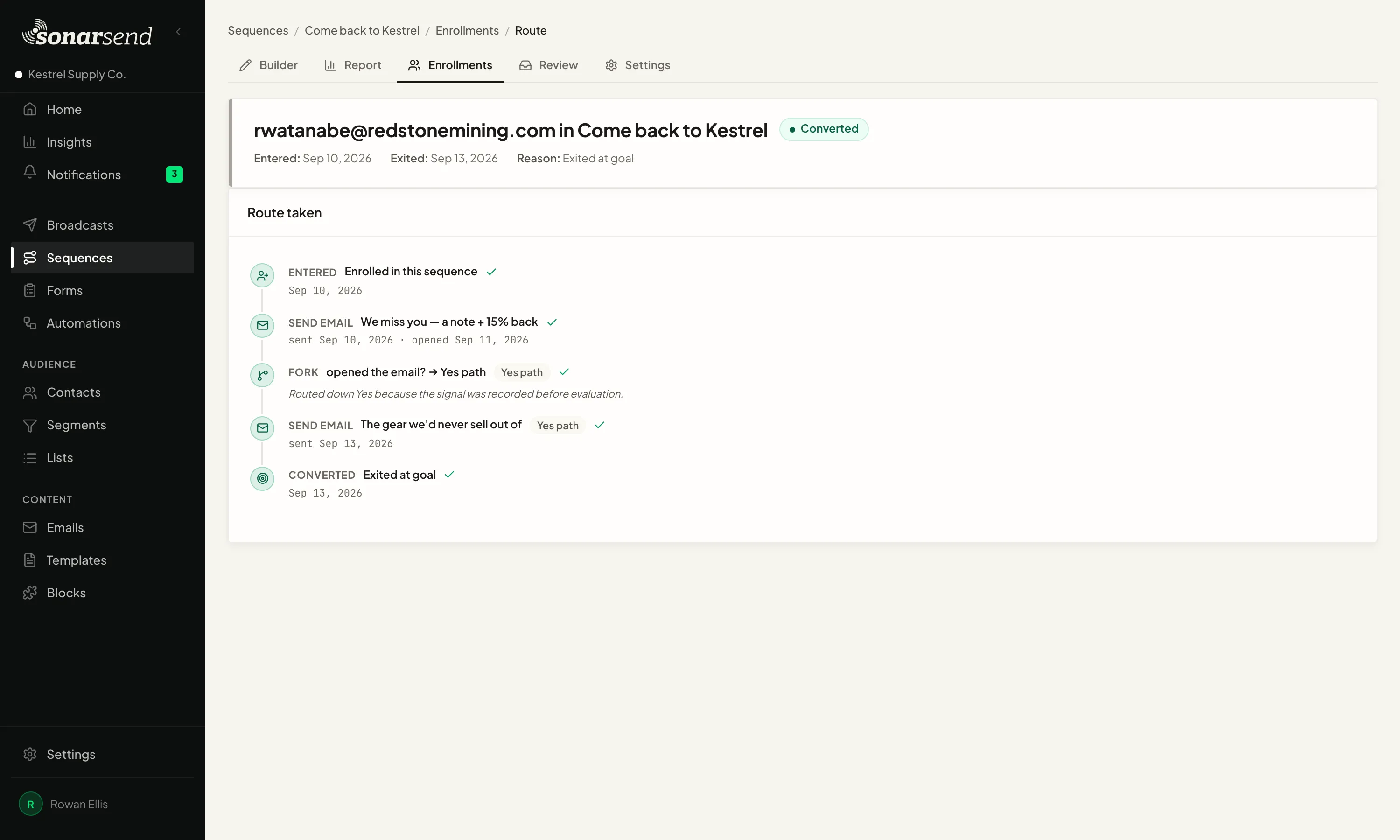
One contact's enrollment in a sequence: converted, with the dates they entered and left and the reason, above the route they took. They were enrolled, sent an email they opened, sent down the Yes path because the open was recorded before the check, sent a follow-up, and left at the goal.
Follow each contact

See exactly where each contact stands.

Open a contact's enrollment to see their status, when they entered, when they left, and the route they took. The emails, recorded engagement, branch choices, and outcome appear in order.

If the contact is waiting, see what they're waiting for and when the sequence will continue. If they reached a goal or left early, the reason is there too.

The sequence report gives you the totals. Enrollment detail gives you the story for one contact.

Smaller automations

Not every job needs a sequence.

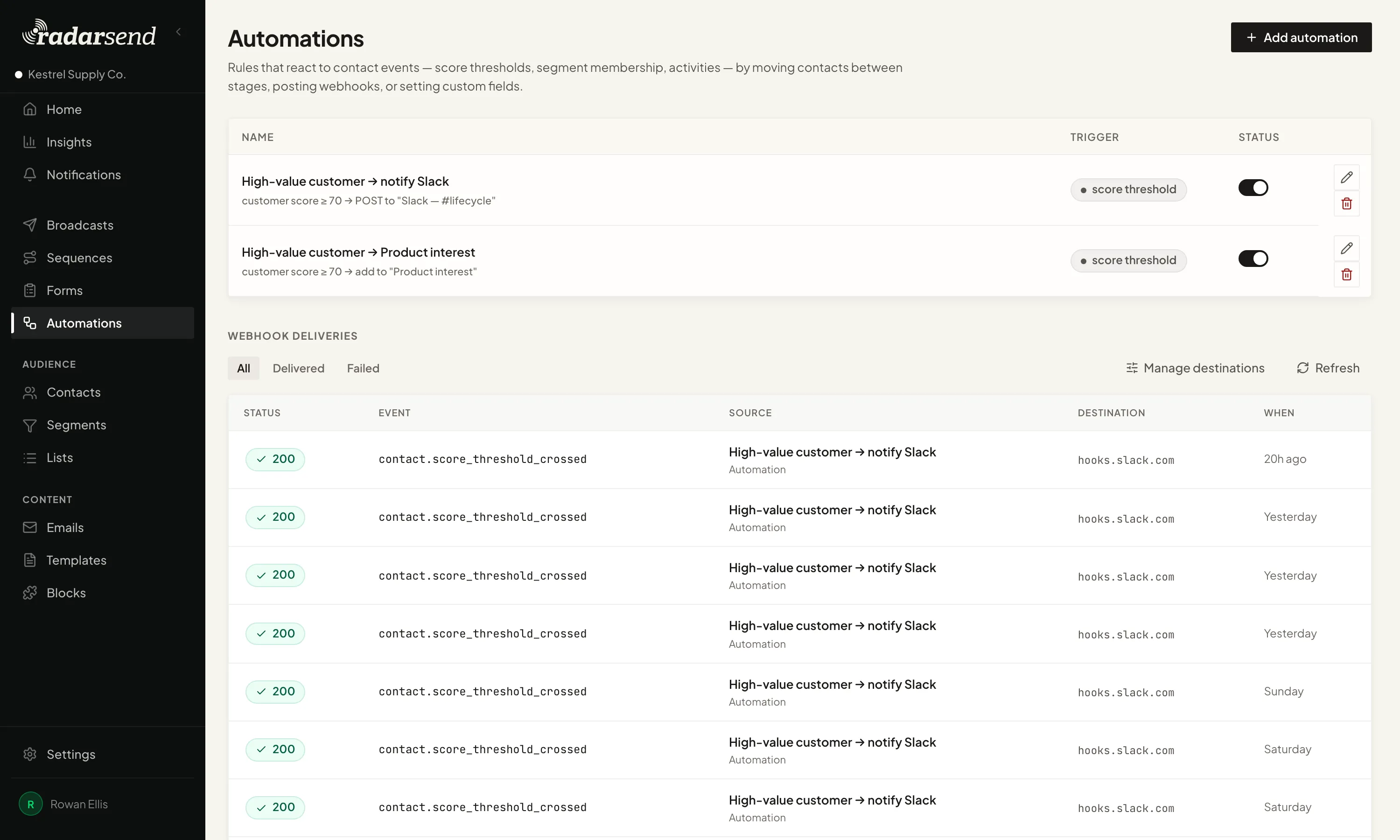
Sometimes the rule is simple. A customer's score crosses 70, so send a webhook that posts to your team's Slack channel. A contact does something important, so move them to a new stage or update a field.

For a one-step job, use a simple automation. Save sequences for follow-up with several steps.
app.sonarsend.com/t/kestrel-supply/automations
The Automations page: two rules that fire when a customer's score passes 70, one posting a webhook to a Slack channel and one adding the contact to a list, above a log of webhook deliveries with each event, destination, time, and response.

Every step starts with what RadarSend already knows.

Start from a form, a segment, a date, or an event from another tool. Use email and site activity along the way. Every result returns to the same contact history.

Build it once. Let what people do decide what happens next.

See pricing Take a tour