Everything Sendy doesn't do.
Sendy sends broadcasts through your own SES account. RadarSend connects to the same account — and adds everything above the send.
With Sendy, you can blast a list.
That's what it was built to do, and it does it well. But that's where it stops.
No sequences or automation
No behavioral segmentation
No bot filtering on opens or clicks
No per-contact activity timeline
Blast only.
RadarSend uses the same SES account. It adds automation, segmentation, and honest metrics.
Follow up based on what people did. Build audiences from behavior instead of static lists. See what each person actually read on your site. Know which of your engagement numbers came from real people and which came from bots.
What doesn't change.
Your SES account.
RadarSend connects to the same Amazon SES credentials. Mail goes out on your account, at your rate, building reputation on your domains.
Your domains.
Tracked links, the unsubscribe page, and the preference center all run on your domain. Recipients never see RadarSend's name.
Your control.
Nobody reviews your content or polices your sends. If you use SendGrid, Mailgun, or another provider alongside SES, those work too.
What Sendy can't do.
Sendy sends a broadcast and shows you aggregate numbers. RadarSend sends the broadcast, tracks what each person did next, follows up automatically, and filters the bots out of every report.
Automatic follow-ups based on behavior.
Someone clicks a link in your newsletter and visits your pricing page. Three days later, RadarSend can check if they came back and send the right follow-up. Sendy's autoresponders drip on a timer from the join date — they can't react to what someone actually did.
Audiences that build themselves.
"Clicked three issues but never bought." "Visited pricing twice this week." In Sendy, you filter on custom fields and join date. In RadarSend, you describe the audience and it stays current as behavior changes.
A real record for each person.
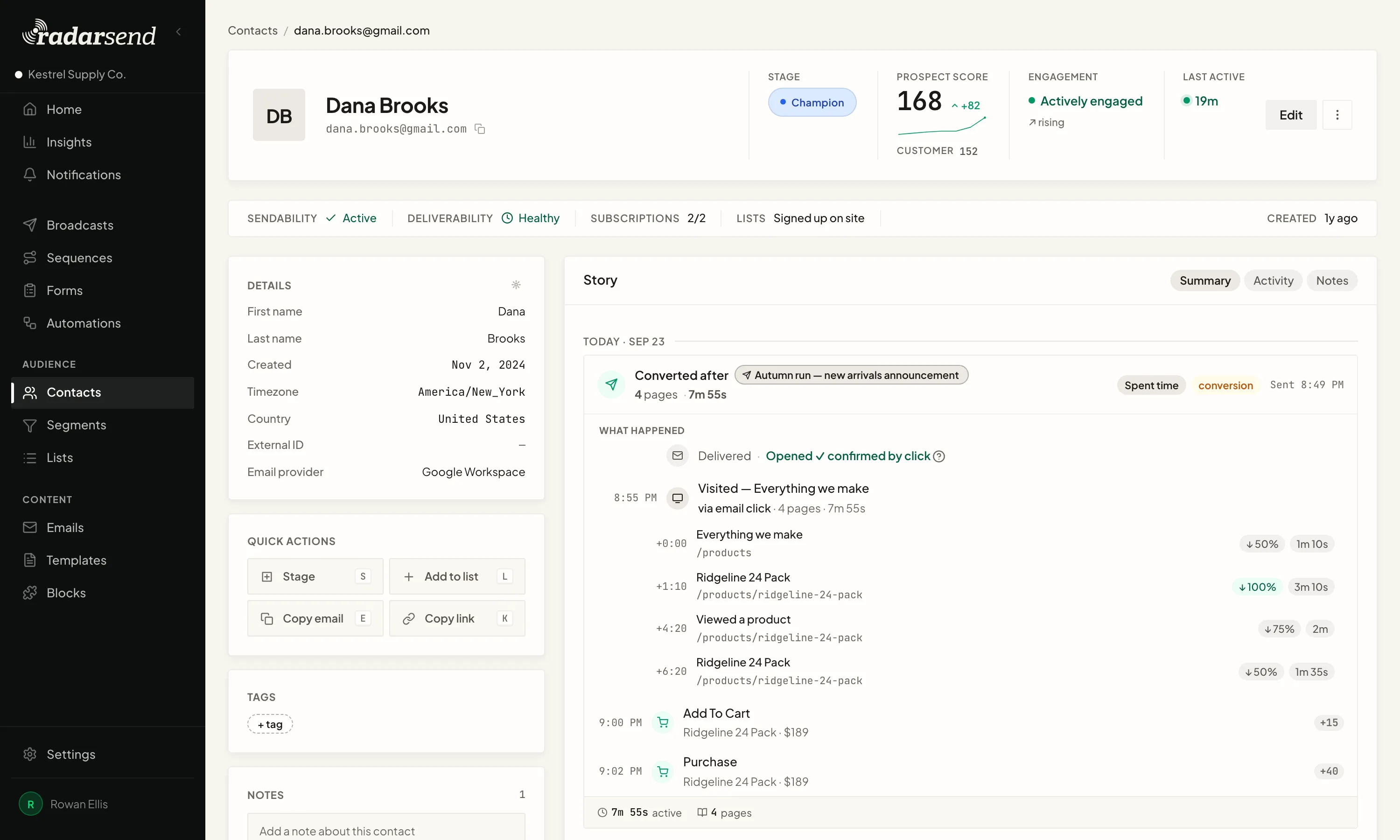
Every email sent, every click, every page they read on your site afterward, how long they stayed, and whether they came back days later. Sendy shows an email address and aggregate counts.
A/B testing, scoring, site tracking, API.
Test subjects, bodies, senders, or even providers. Lead scores per contact. First-party site tracking tied to named people. A full REST API with webhooks and MCP.
Your Sendy numbers aren't what you think they are.
Apple Mail pre-opens every email. Corporate security gateways click every link. Sendy counts all of it as real engagement. That 45% open rate? A chunk of it is machines.
RadarSend classifies every interaction — likely human, maybe human, or machine — and shows you both numbers on every report. You see the raw rate and the real rate side by side, so you know exactly how much is noise.

You only paid $69 for Sendy. It costs you more than that by holding you back.
Sendy is $69 once plus a server. RadarSend starts at $49/month and includes hosting. The real difference is what you get for it:
Your SES bill stays the same. Sendy's server bill goes away. What you're paying for is automation, segmentation, contact intelligence, bot filtering, and not running infrastructure. If blasting a list is the whole job and you don't mind the server, Sendy works fine. If you've outgrown that, this is the next step.
Keep the SES account. Add everything else.
Import your subscribers, lists, custom fields, and suppressions. Your SES account stays exactly where it is — you're not migrating your sending, just adding everything around it.
If you have questions about your specific setup, we'll walk through it with you.