How your email gets sent
should be your call.
Most email platforms bundle sending into the subscription. The reputation you build lives on their infrastructure, and your tracked links and unsubscribe page carry their domain instead of yours.
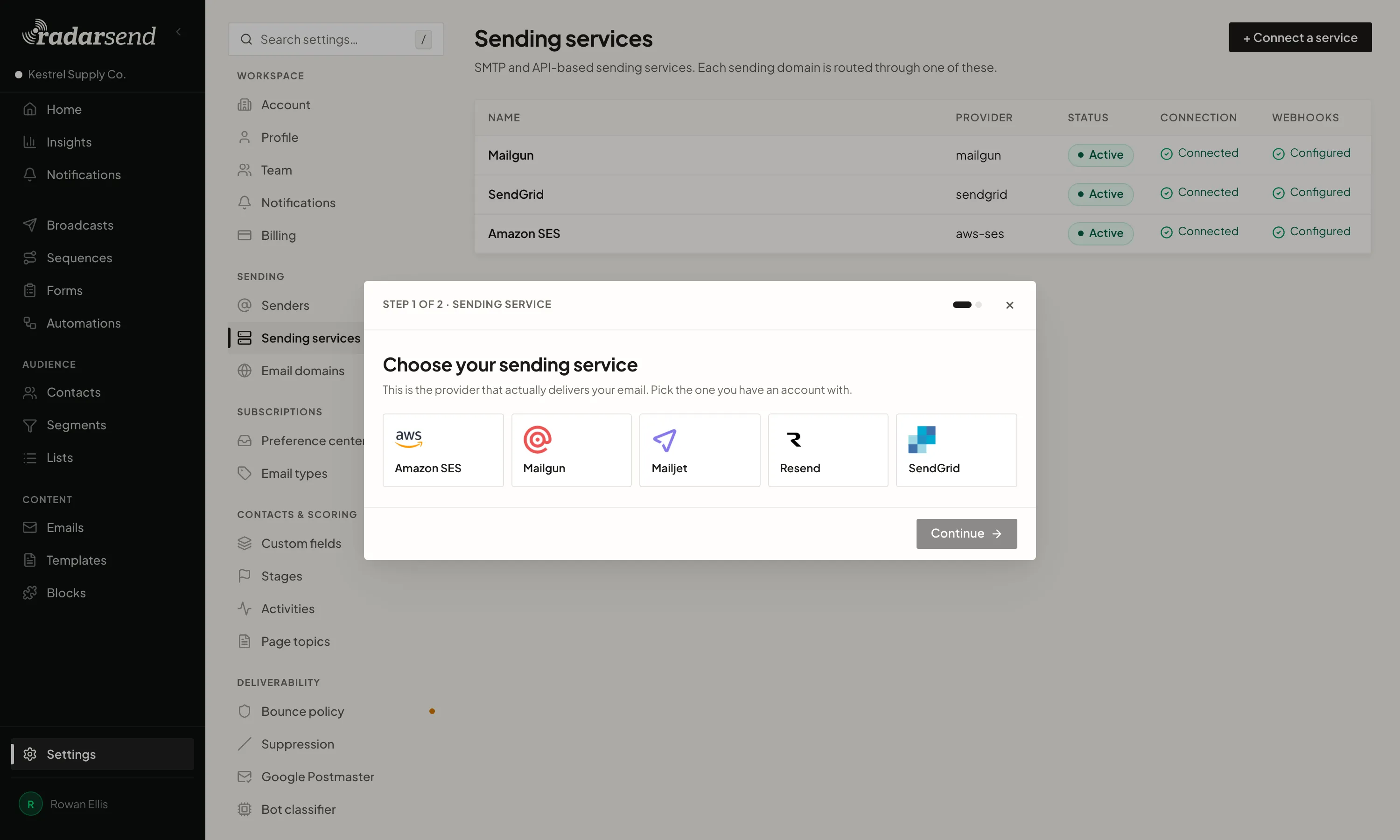
Connect Amazon SES, SendGrid, Mailgun, Resend, or Mailjet. You pay the provider directly, and the reputation you build stays with you.
Choose your provider. Run more than one.
Connect the sending provider you already use, or open a new account. You pay the provider directly at its rate. RadarSend doesn't add a markup. If you leave later, the account, sending history, and reputation go with you.
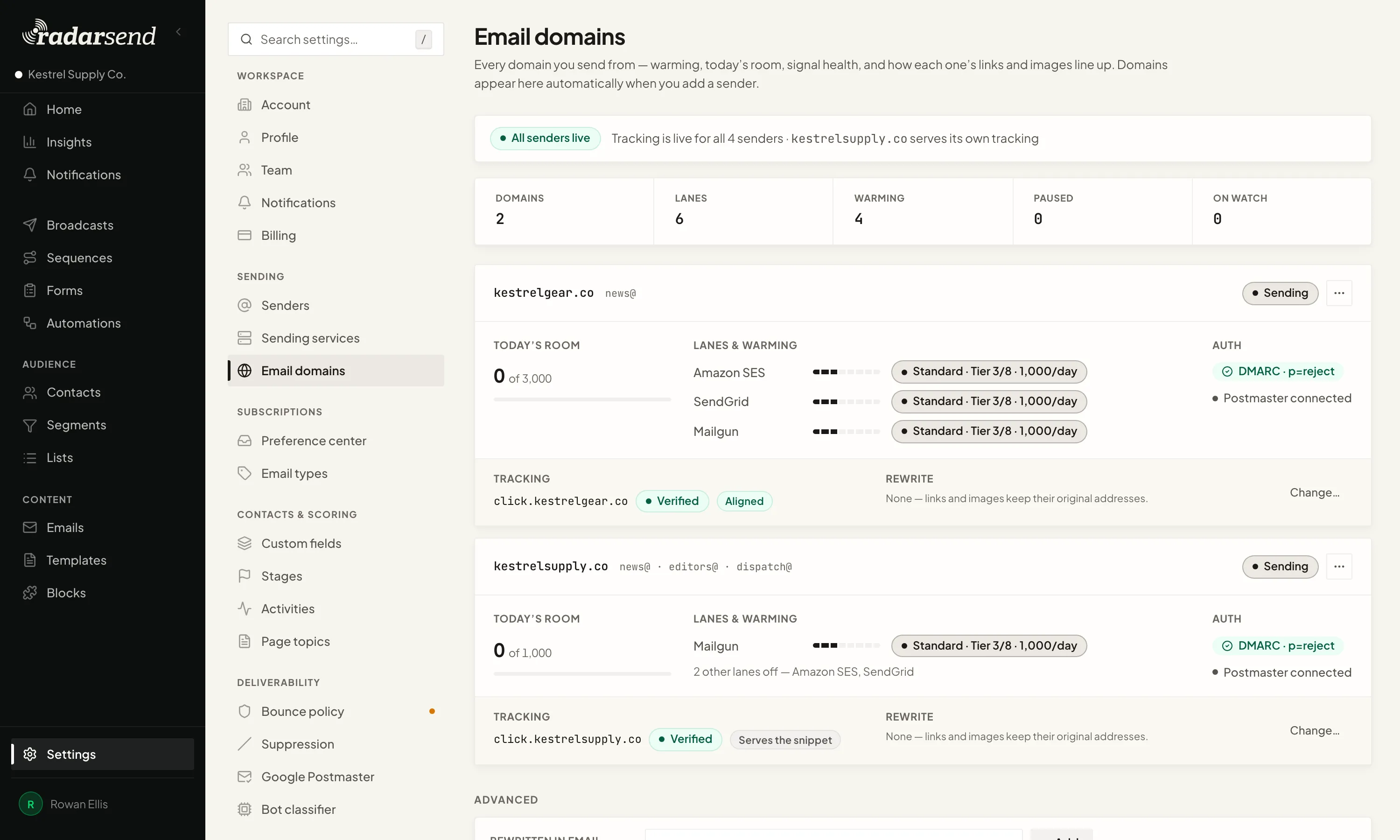
You can run more than one. Send your newsletter through SES and your transactional announcements through SendGrid. Split a broadcast across providers to see which delivers better. RadarSend keeps it in one report. No duplicate campaigns to piece together.
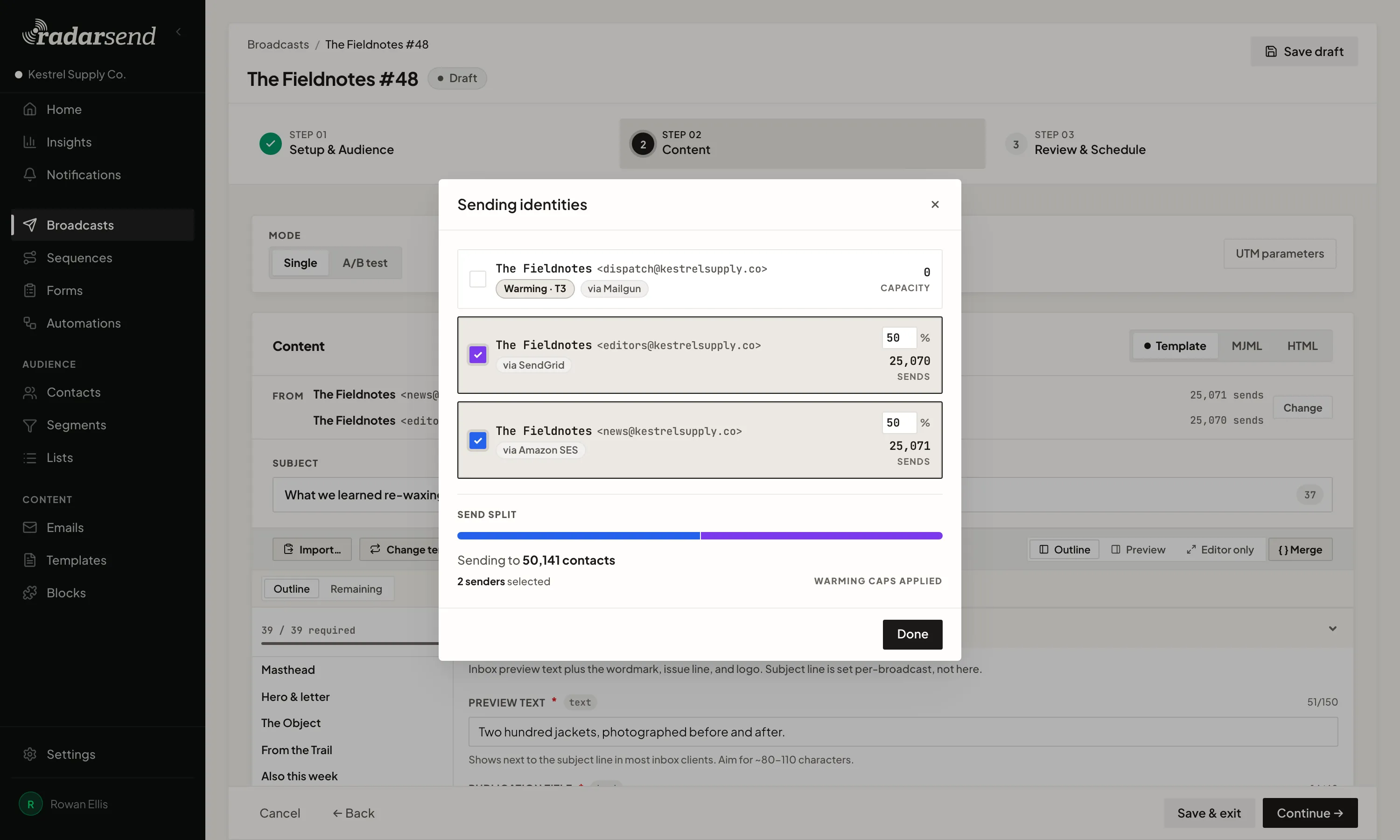
Your domain, your brand.
Tracked links can resolve on your own domain instead of a shared vendor address carrying other senders' reputation. Opens are tracked first-party too.
RadarSend checks the email setup for each domain and tells you when something needs attention.
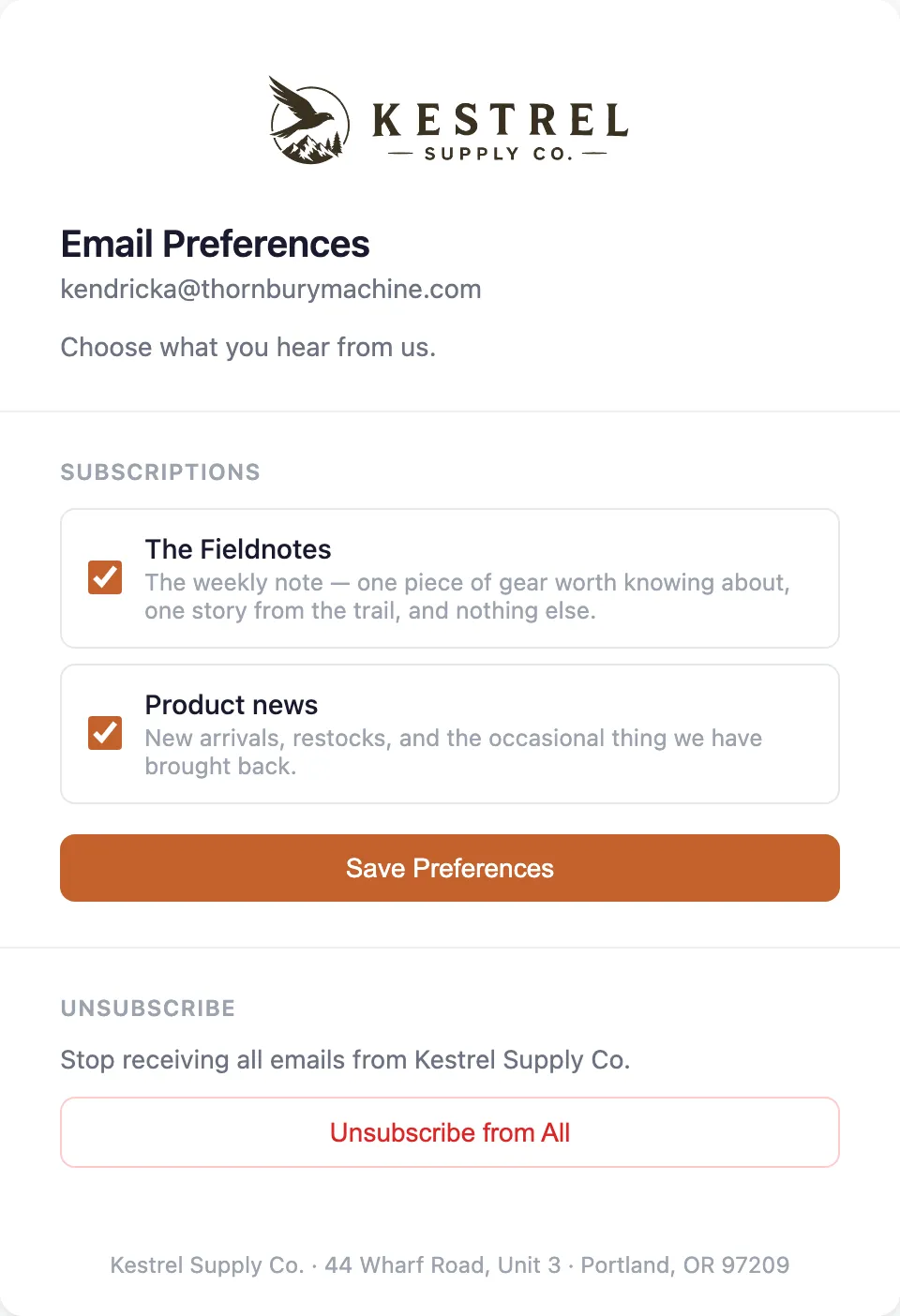
Even the unsubscribe page looks like you.
When someone clicks unsubscribe or manage preferences, they land on a page with your logo, your colors, and your company details, on your own domain. It feels like the rest of your email, because it came from you.
They can turn off product news and keep the newsletter, or leave everything at once. Each subscription is one of your email types, with your name for it and a line about what it sends.
One-click unsubscribe works in inboxes that support it. Anyone on the global suppression list is left out of every send.
Nothing to run.
RadarSend is fully hosted. There's no server, database, or queue for you to run, and no upgrades to keep up with. RadarSend runs the software. You run your email program.
The usual way to get this much control over your sending is to self-host. Your own provider, your own domains, your own reputation. That works, but it comes with a second job: keeping it online. RadarSend gives you the control without the upkeep.
Sign up, connect your provider, and add the DNS records. Then send your first broadcast.