Build the form.
Decide what happens next.
Collect the details you need. Add each contact to the right lists and email subscriptions. Start a sequence, alert your team, or do both.
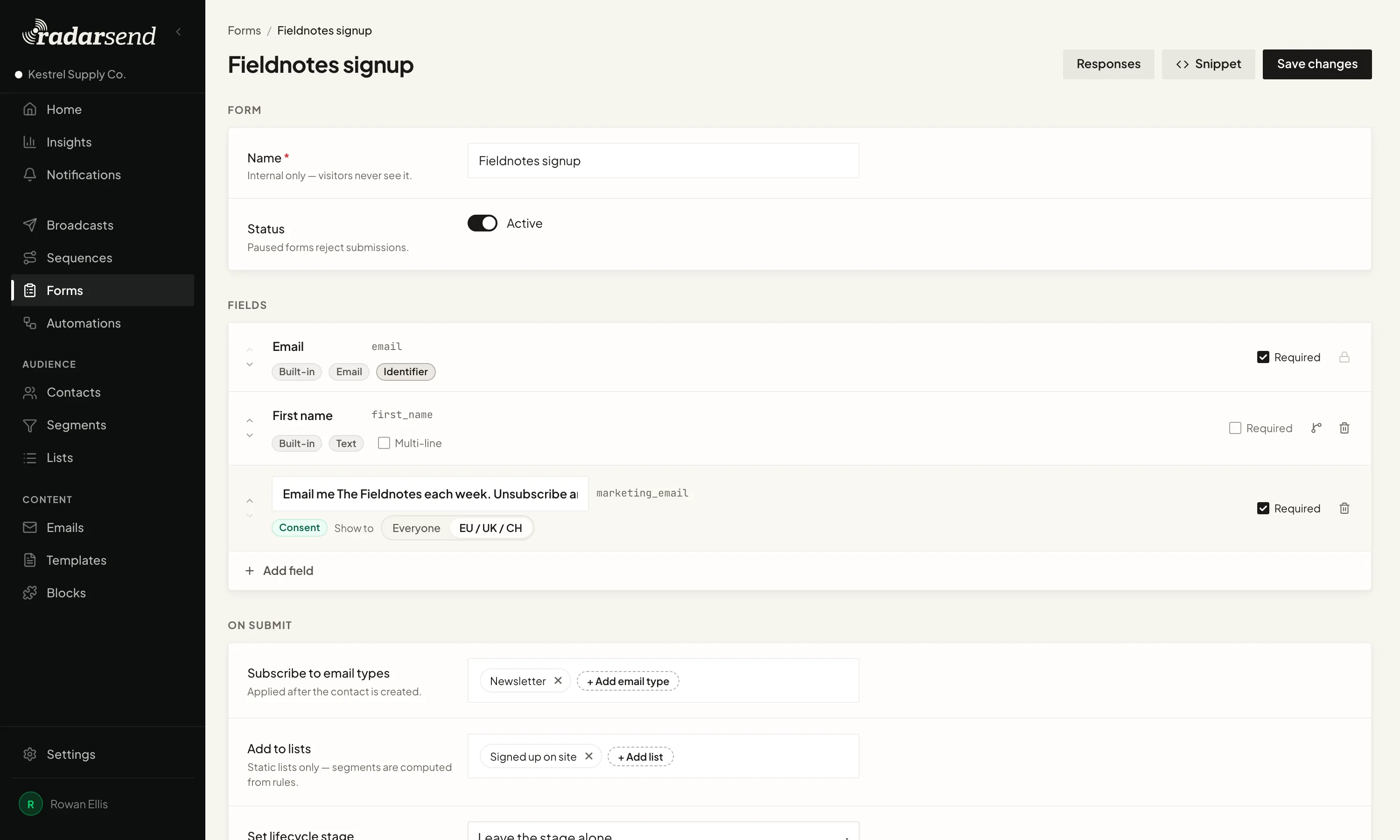
RadarSend can also keep the pages someone visited before signing up, so the follow-up starts with more than an email address.
Ask for what you need.
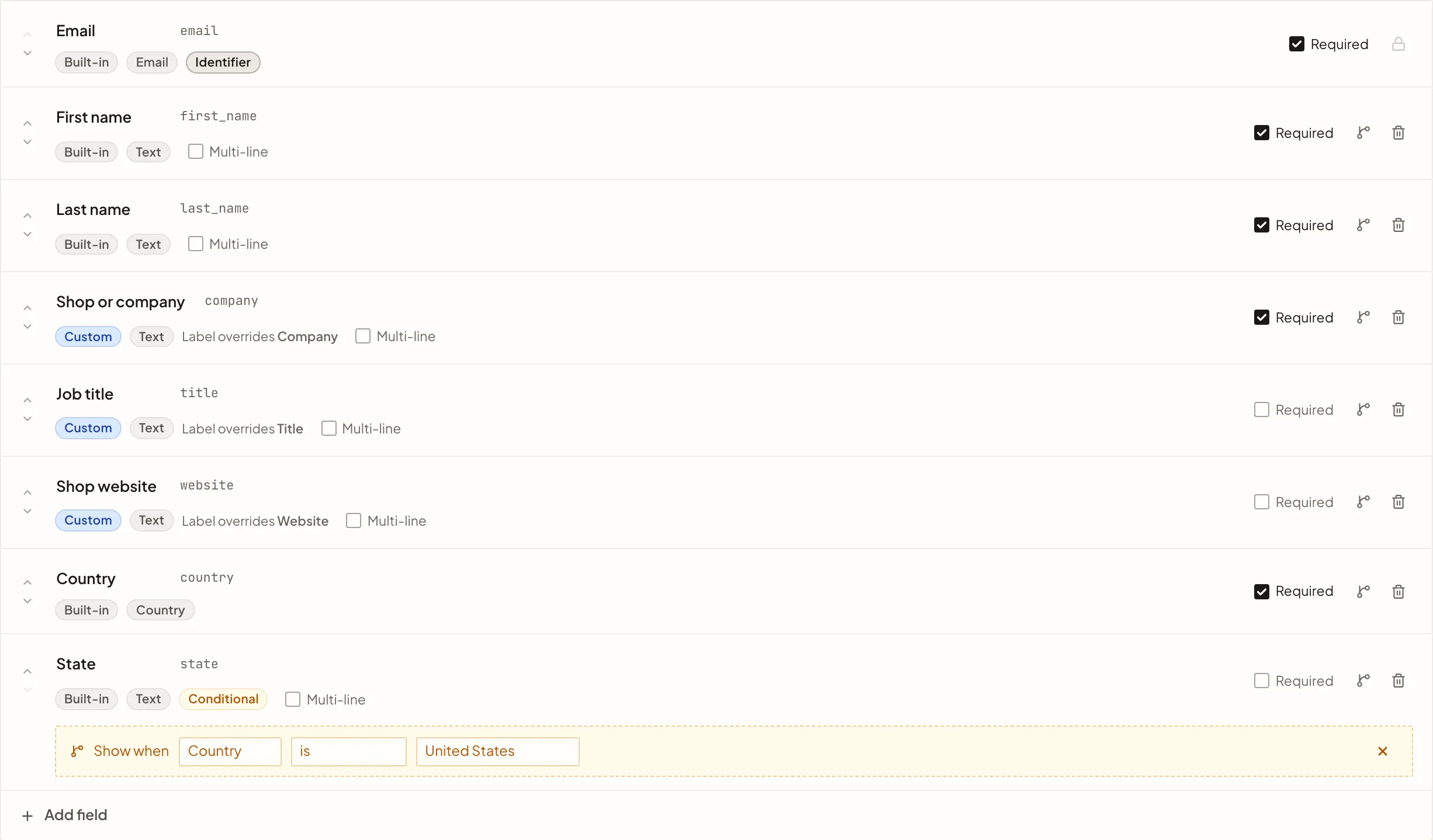
Start with an email address, then add the details that make the response useful. First name, company, plan, interest, renewal date, or a question specific to your business can go straight into the contact record.
Use fields you already have or create a new one while you build. A field can appear only when an earlier answer makes it relevant, so a simple signup stays simple and a detailed request can ask the next useful question.
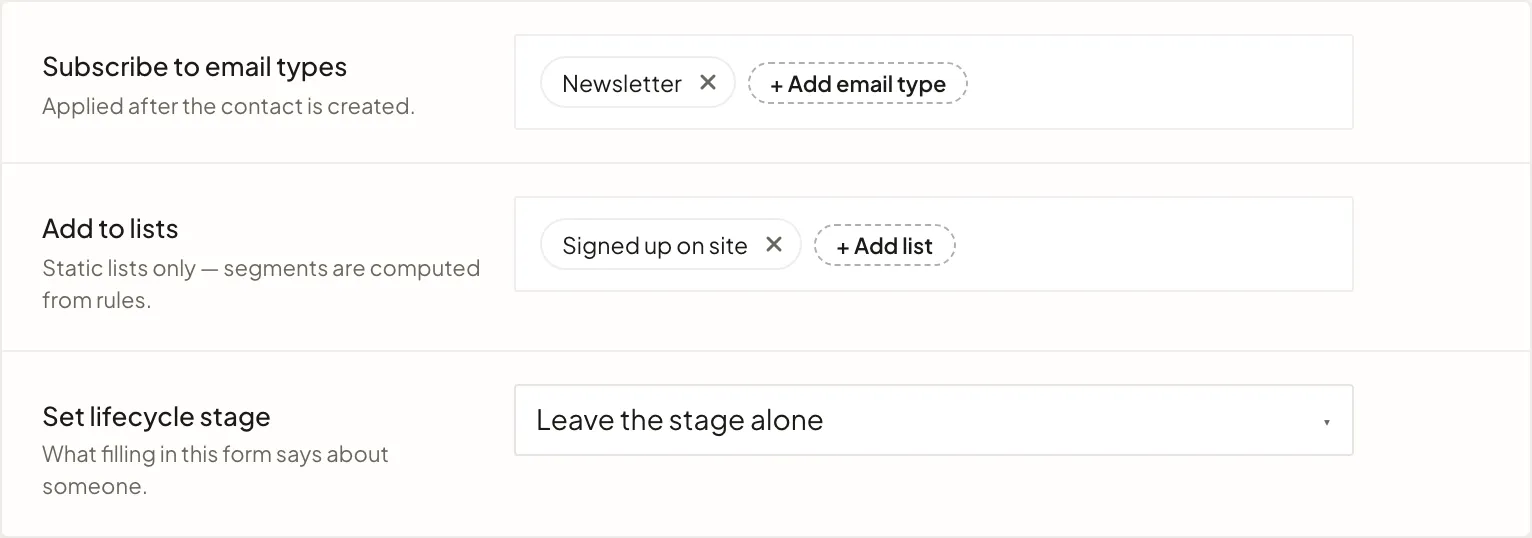
Put each signup where it belongs.
Choose the static lists the contact should join. Subscribe them to the kinds of email the form is for, such as a newsletter, product updates, or event notices.
Those choices happen with the submission. The contact is ready for the right email program without an import or another list to keep in sync.
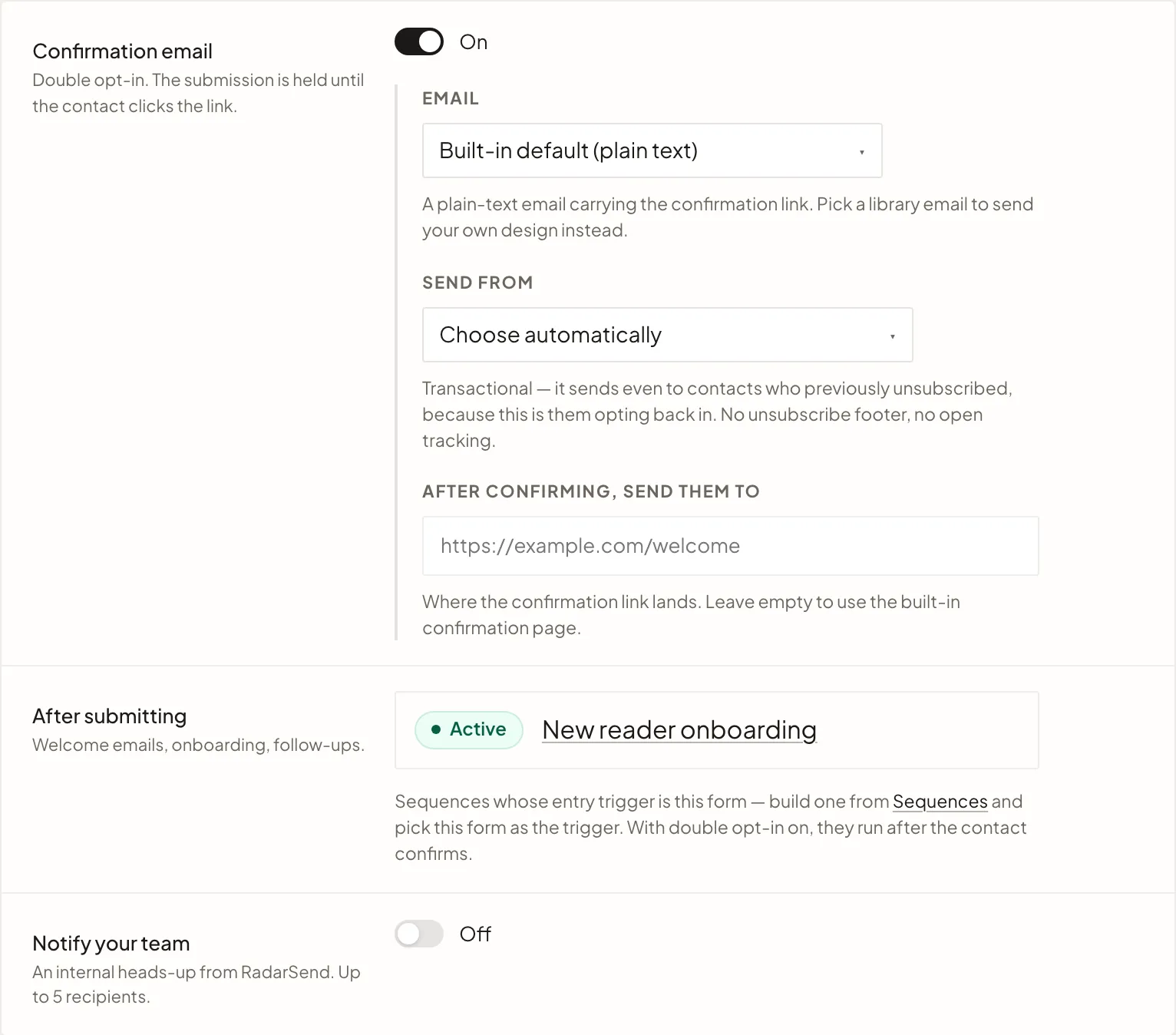
Start the follow-up. Tell the right people.
Use the form submission to start a welcome series, deliver a download, begin onboarding, or follow up on an inquiry. Back on the form, you can see every sequence that starts from it, so there's no guessing what a signup sets in motion.
Turn on team notifications when a person should see the response too. RadarSend emails the submitted answers with links to the contact and the full response list. A sales inquiry can go to sales. An application can go to operations.
Make it look like it belongs there.
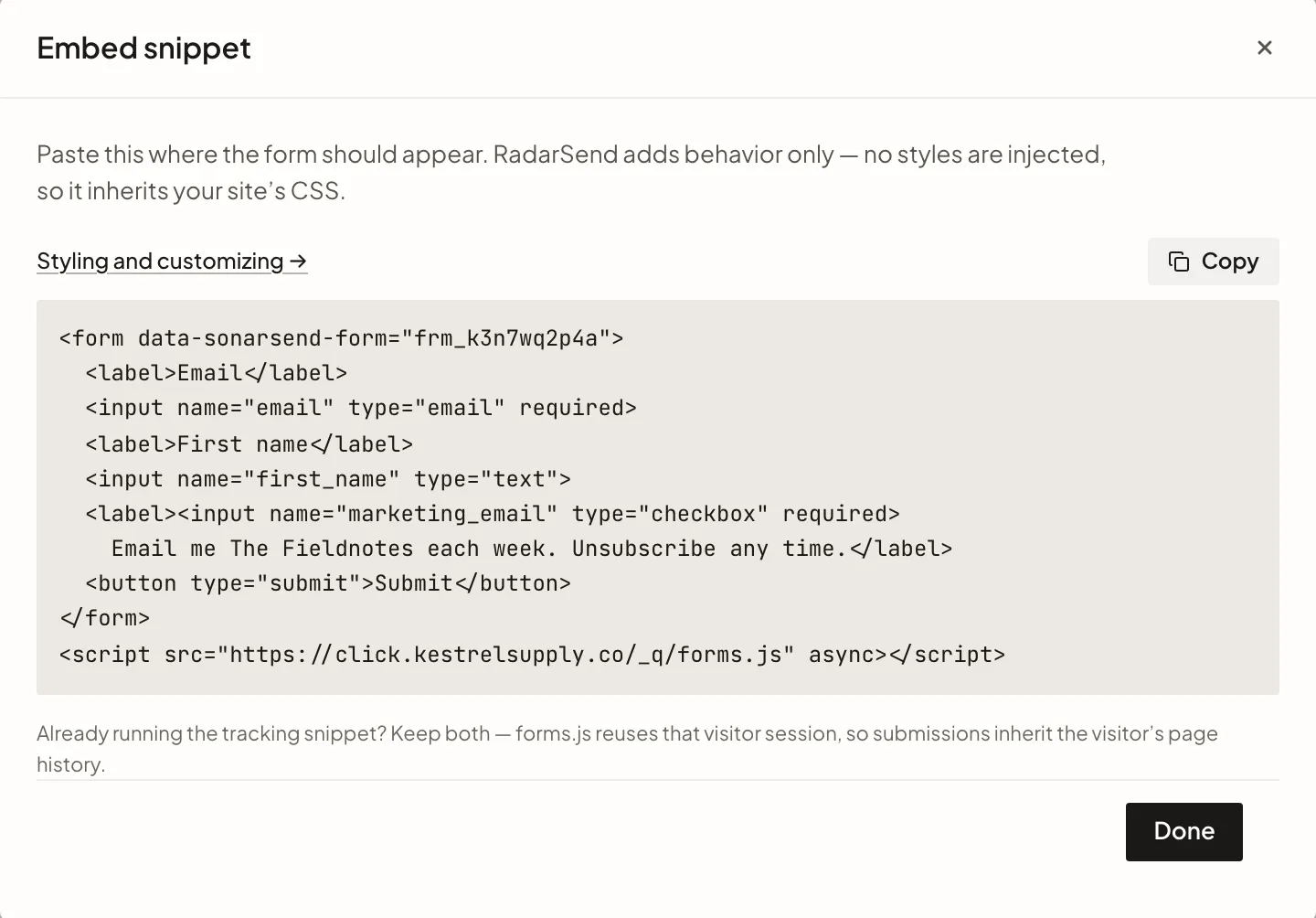
Copy the generated HTML into the page where the form should appear. RadarSend handles the submission but leaves the styling to your site, so the form uses the same CSS as everything around it.
If you already have the markup you want, post it to the form endpoint directly. Either way, the visitor stays on your site.
See the signups as they arrive.
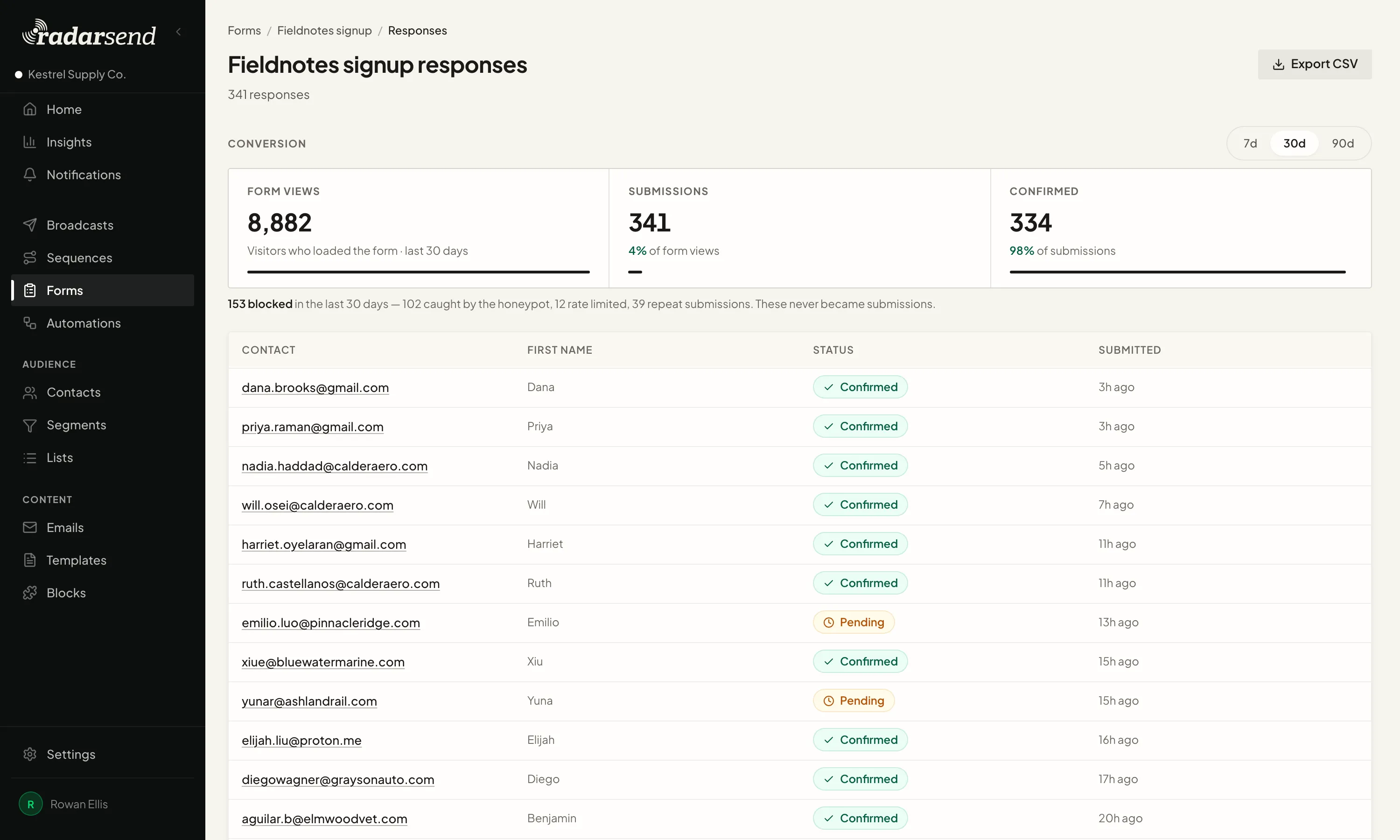
Open the form to see its responses and the details each person submitted. The same view shows form views, completed submissions, and the confirmation rate when confirmation is turned on.
Blocked bots, rate-limited attempts, and repeat submissions stay outside the signup count. Export the responses when someone else needs the file, but you don't need an export to use them inside RadarSend.